

Rgb Led Strip Lights with Music Sync and App Control
RGB / 15m
$69.91
Skip to product information



Rgb Led Strip Lights with Music Sync and App Control
$69.91
```html
Product Specifications
- Average Life (hrs): 50000 hours
- Brand Name: Mikenoon
- Certification: ce, EMC, ROHS, CE, RoHs
- Choice: yes
- Color Temp (K): RGB
- High-concerned chemical: none
- Is Batteries Included: no
- Is Smart Device: Yes
- Item Type: Strip
- LED Chip Brand: Other
- LED Chip Model: RGB
- LEDs Number/M: 16
- Luminous Flux: <60
- Model Number: RGB-01
- Nominal Voltage: 5V
- Occasion: Living room
- Origin: Mainland China
- Power Generation: Switch
- Power Source: DC
- Specifications (light beads / m): 16
- Strip type: SMD
- Voltage: 5V
- Waterproof: No
Product Overview
This RGB LED strip designed by Mikenoon offers flexible lighting with a lifespan of approximately 50,000 hours. It features 16 LEDs per meter and operates on a 5V DC power source. The strip is not waterproof and does not include batteries. Certified by CE, EMC, and ROHS, it is suitable for indoor use such as living rooms.
Key Features
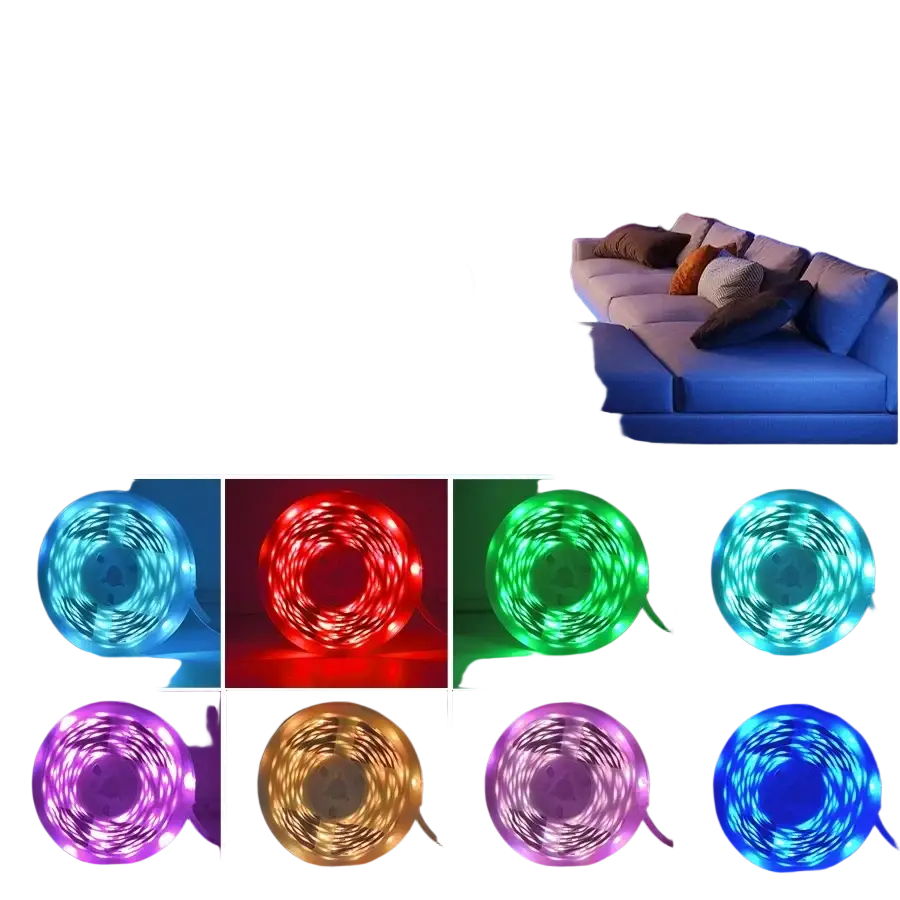
- Available length options: 1m, 2m, 3m, 5m, 10m, 15m, 20m, 30m
- Maximum length per roll: 15m (longer lengths come in multiple rolls)
- Color: RGB for customizable lighting
- Includes smart control functionality
- Remote control requires 2 AAA batteries (not included)
- Simple switch power generation
- SMD type strip with 16 LEDs per meter
Package Contents
- RGB LED Strip (length selected)
- Remote Control (requires 2 AAA batteries, not included)
- Controller for light strip connection
Product information
1. Item: RGB Led Strip
2. Length: 1m / 2m / 3m / 5m / 10m / 15m / 20m / 30m
The maximum length of one roll is 15m, so 20m consists of 2 rolls of 10m, and 30m consists of 2 rolls of 15m.
3. Voltage: USB 5V
4. Color: RGB
5. Remote battery: 2*AAA batteries (not included)
RGB Led Strip
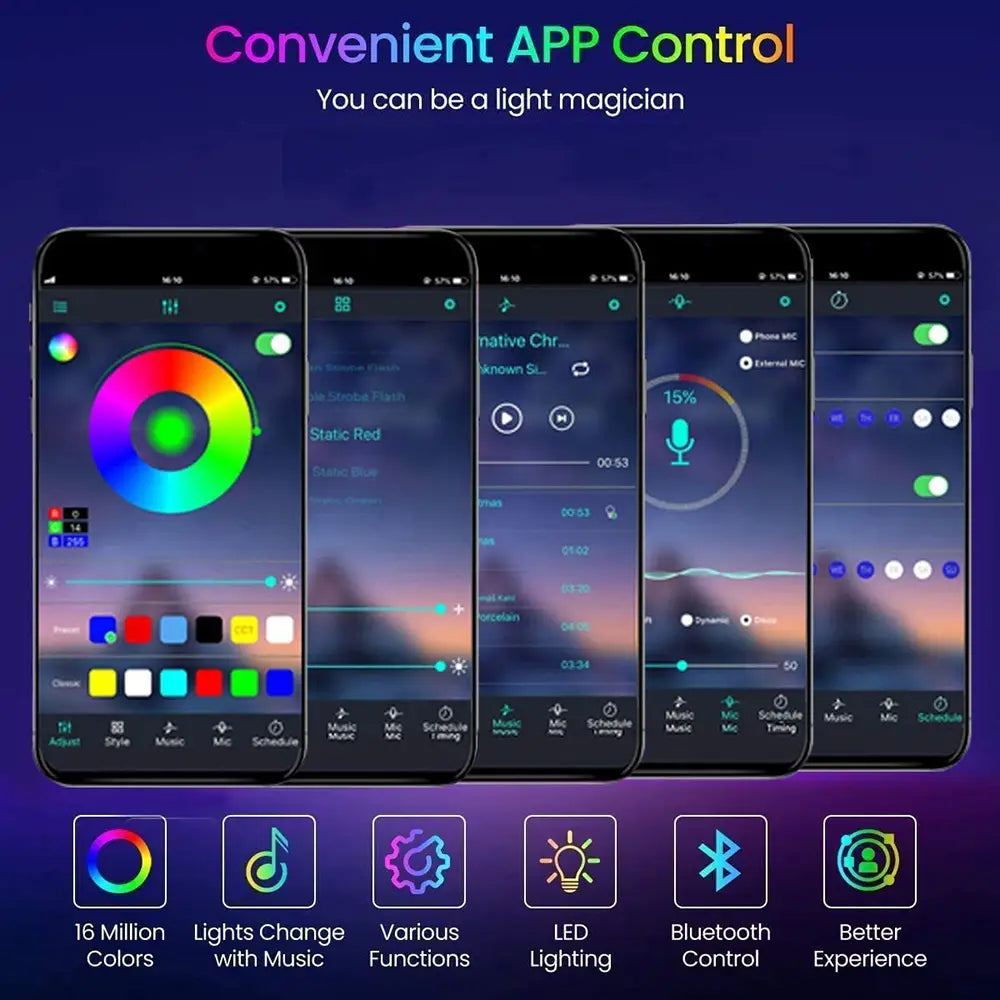
Smart APP Control
Mode 1: Static Color
Mode 2: Dynamic modes
Mode 3: Music Sync
Mode 4: Mic mode
Mode 5: Schedule mode
APP name is "Lotus Lantern", available on App Store and Google Play
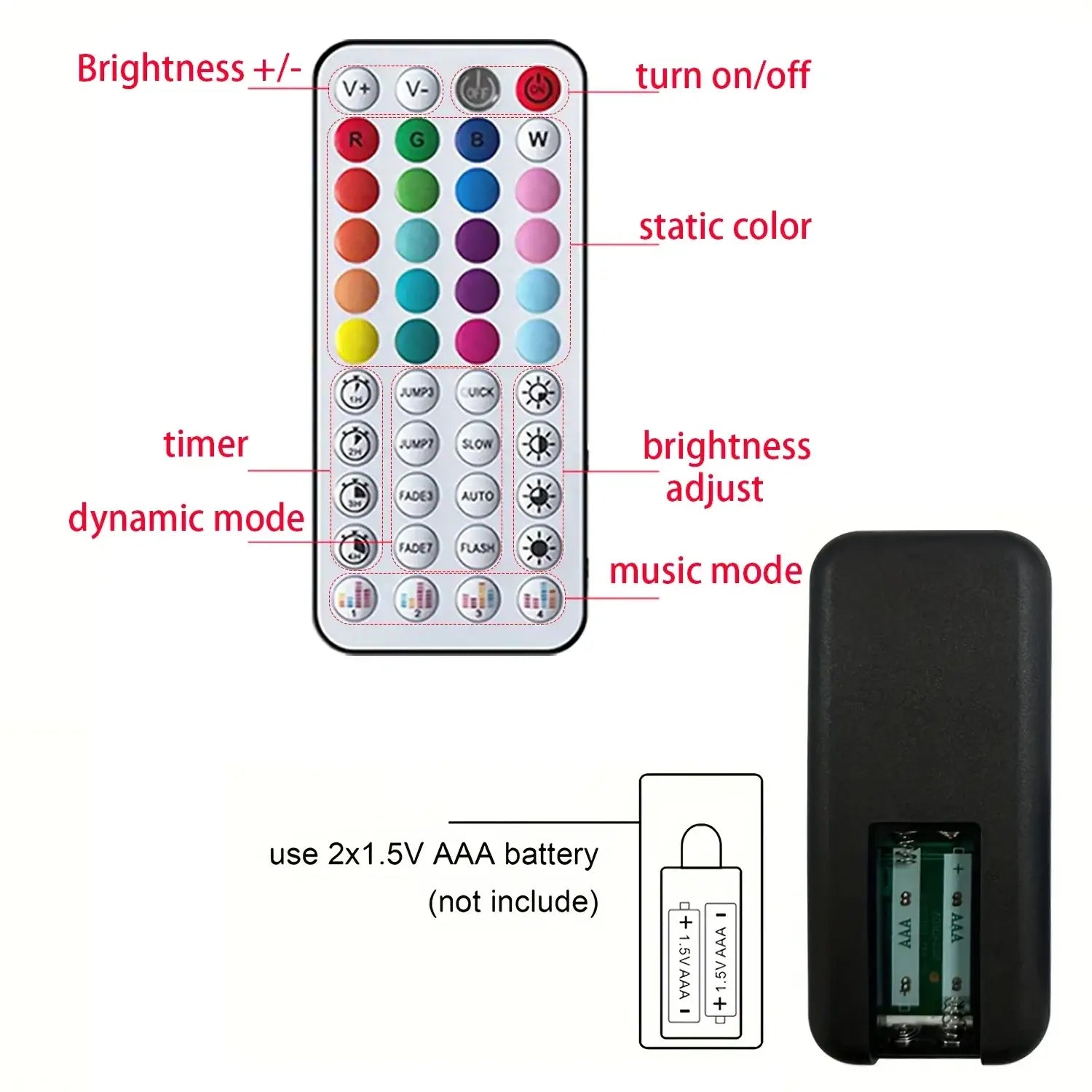
Remote Control
Remote Battery: 2* AAA batteries (not included)
In music mode, voice sensitivity can be adjusted using the "V+" and "V-" buttons located in the upper left corner of the remote control.
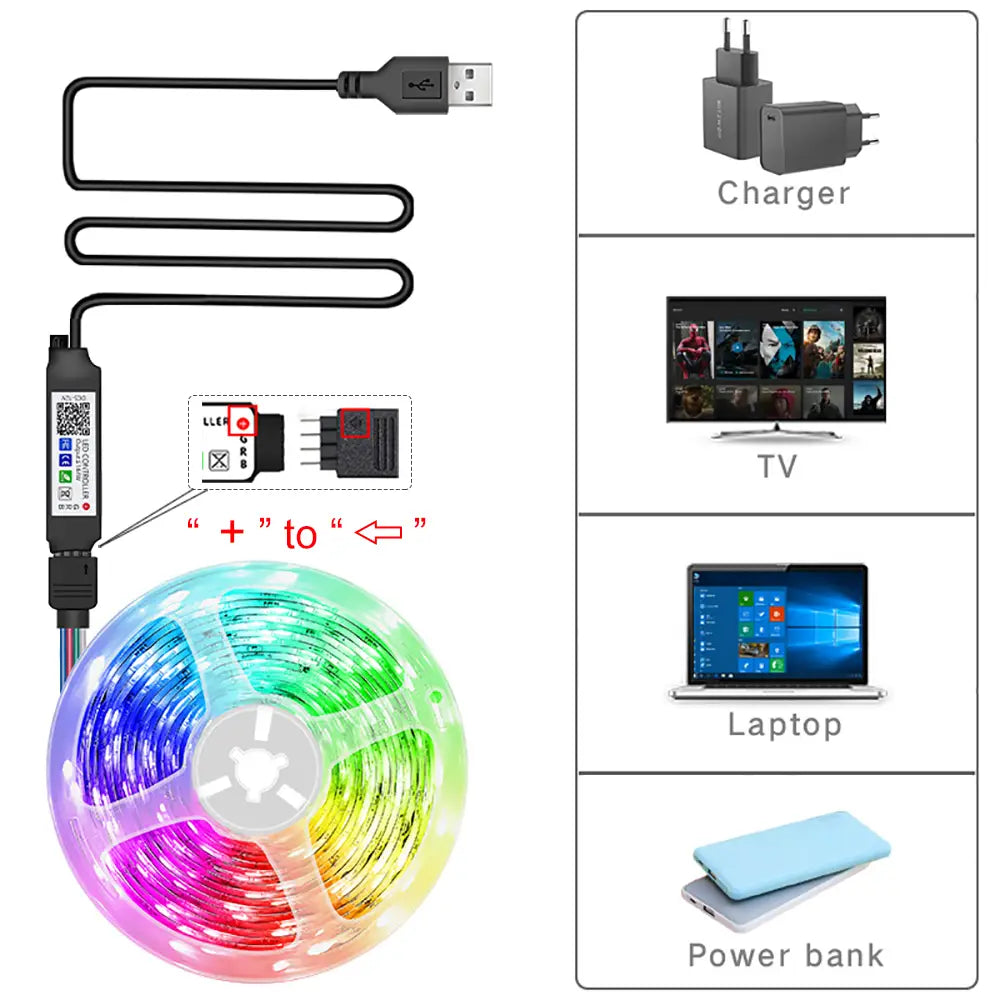
Installation Guidance
When connecting the light strip to the controller, ensure the positive pole of the strip aligns with the positive pole of the controller.
```