

Digital Temperature and Humidity Meter for Home, High-Precision HTC-1 Indoor and Outdoor Electronic Hygrometer and Thermometer,


Digital Temperature and Humidity Meter for Home, High-Precision HTC-1 Indoor and Outdoor Electronic Hygrometer and Thermometer,
SPECIFICATIONS
Brand Name: NONE
High-concerned chemical: none
Origin: Mainland China

Batteries need to be prepared by yourself
The product is shipped without a battery by default.
Battery: 1 AAA 1.5V battery
HTC-1 Temperature and Humidity Meter User Manual
Product specifications:
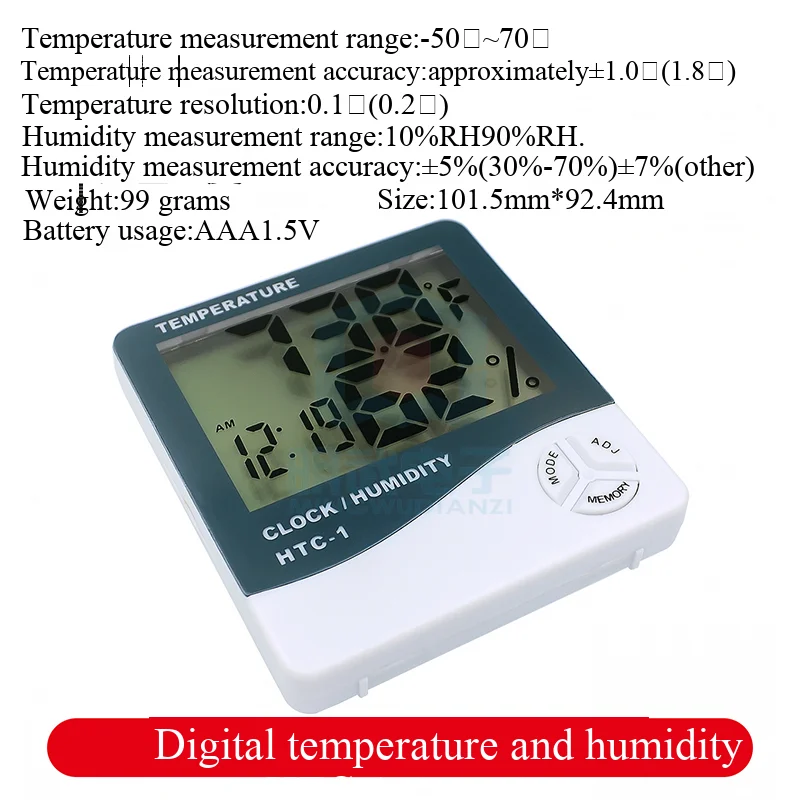
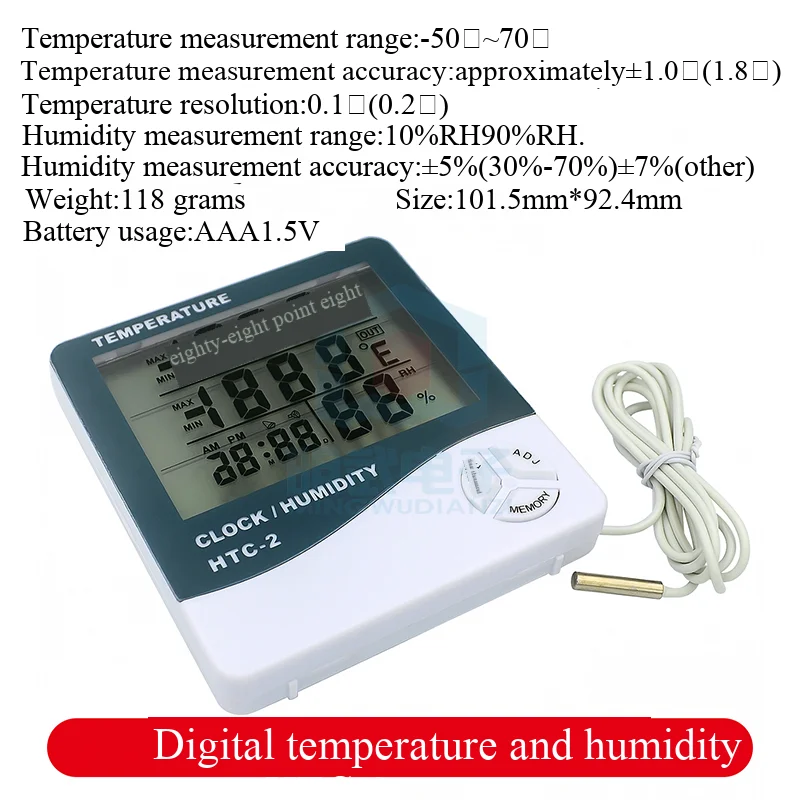
Temperature measurement range: -50℃~70℃
Temperature measurement accuracy: approximately ±1.0℃ (1.8 oF)
Temperature resolution: 0.1℃ (0.2 oF)
Humidity measurement range: 10%RH~90%RH.
Humidity measurement accuracy: ±5% (30%-70%) ±7% (other)
This needs some explanation. That is to say, even in a relatively dry room with almost no humidity, its error will increase. Humidity is not like temperature, which can be accurate to about ±1 degree. Even in the laboratory, it cannot be achieved. This device is sufficient for household humidity measurement and is definitely much more accurate than the one that comes with a humidifier! This is just for household use. It will tell us whether the room needs to be humidified or dehumidified. As the guardian of your healthy living space, it is quite competent!
Basic functions:
Temperature/humidity display
℃/ oF temperature switch display
/Temperature and humidity memory function
12/24-hour clock
Hourly chime function
Daily alarm clock function
Calendar display function
Operation method:
1. Push open the battery door according to the direction indicated on the back of the device, remove the battery spacer, and then reinstall the battery door. The device is now ready for use.
2. Button functions: (MODE) Switch between clock and alarm display modes/Set current time, alarm, 12-hour or 24-hour format
Adjust the value of the set item according to the hour system and date (ADJ); (MEMORY) displays the value in memory
Temperature and humidity values/clear memory/temperature and humidity values; (℃/ oF) switch temperature unit to ℃
Display in (Celsius) or oF (Fahrenheit); (RESET) to clear all settings/memory values and return to initial
Status.
3. In the initial state, press and hold (MODE) for 1 second, and the minutes of the current time will start flashing. Press (ADJ) to
To adjust the minutes, continuously press (MODE) to set "clock", "12/24", and "month" respectively
(M)”, “Day (D)”
4. In the current clock mode, (the two dots between the hour and minute flash once every second) switch to display as an alarm
In clock mode (where the two dots between the hour and minute do not flash), pressing (ADJ) at this time can switch to "alarm clock"
The (Alarm) function/the "hourly chime" () function can be turned on or off. Press and hold (MODE) for 2 seconds to set
Set the alarm time and activate the "On-the-Hour" function at the same time, and the () symbol will appear.
5. In alarm mode, if no operation is performed, the clock will automatically return to the current time after one minute. At this time, pressing once
(ADJ) Switch to calendar display, and automatically return to the current clock after 3 seconds. Press the MAX/MIN button to display temperature/humidity
The value since the last CLEAR operation.
6. Pressing (MEMORY) can display the maximum (MAX) and minimum (MIN) temperature/humidity values stored in memory. Holding down
(MEMORY) The minimum value that can be cleared after more than 2 seconds.
Precautions:
1. When using/replacing the battery for the first time, please press (RESET) once (located on the back of the device);
2. If any malfunction occurs to the machine, please press (RESET) once
3. Please put the battery back after it is used up.
4. The button has now been moved to the bottom right corner.